
Check the layout before printing
Preview the PDF, then adjust paper size, duplex, page range, and scaling. Save frequently used settings as personal presets.
Open-source print management
Upload a file, check the layout, and send it to a CUPS printer. Manage printing, scanning, and scheduled jobs in one place for your home or small office.
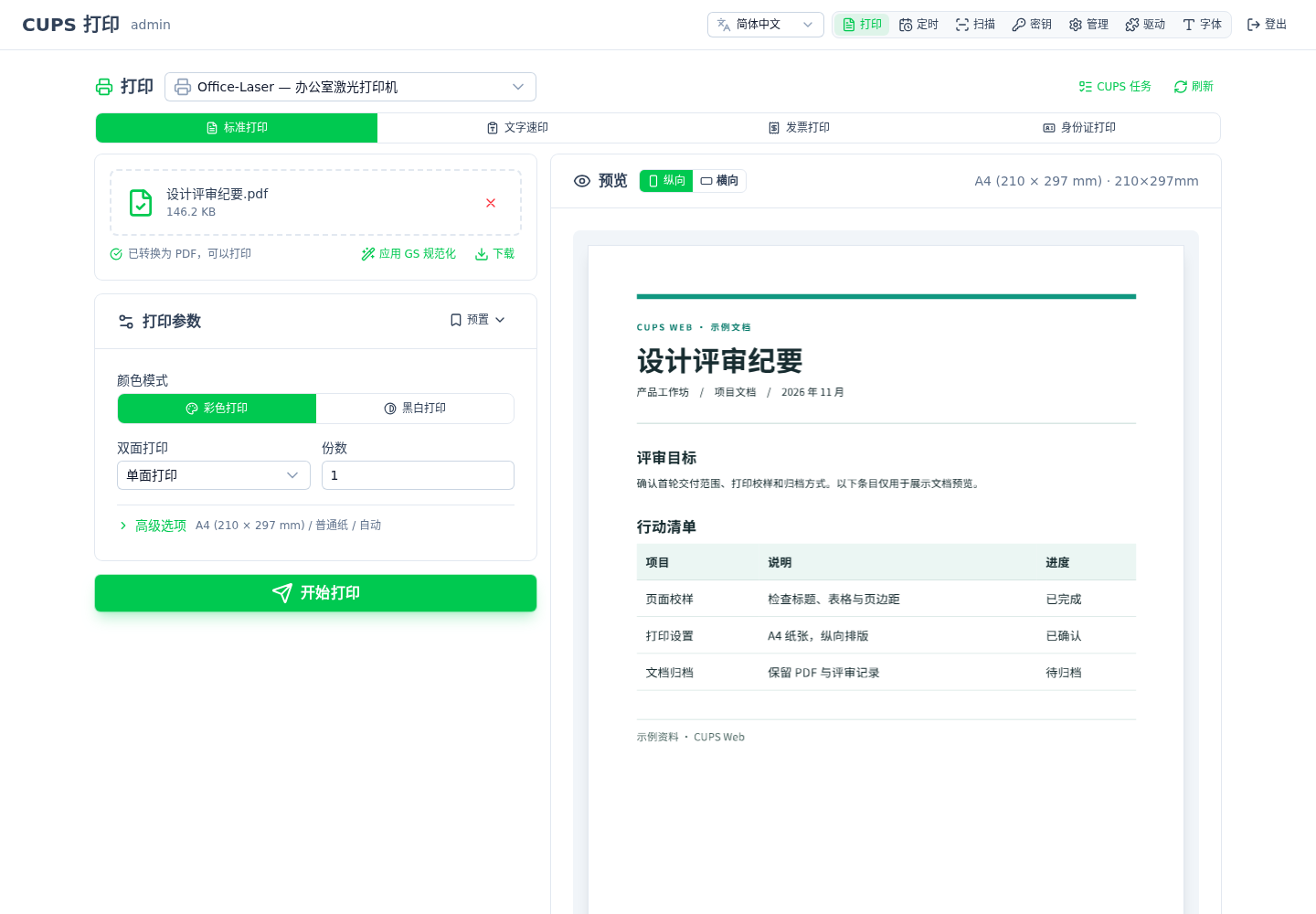
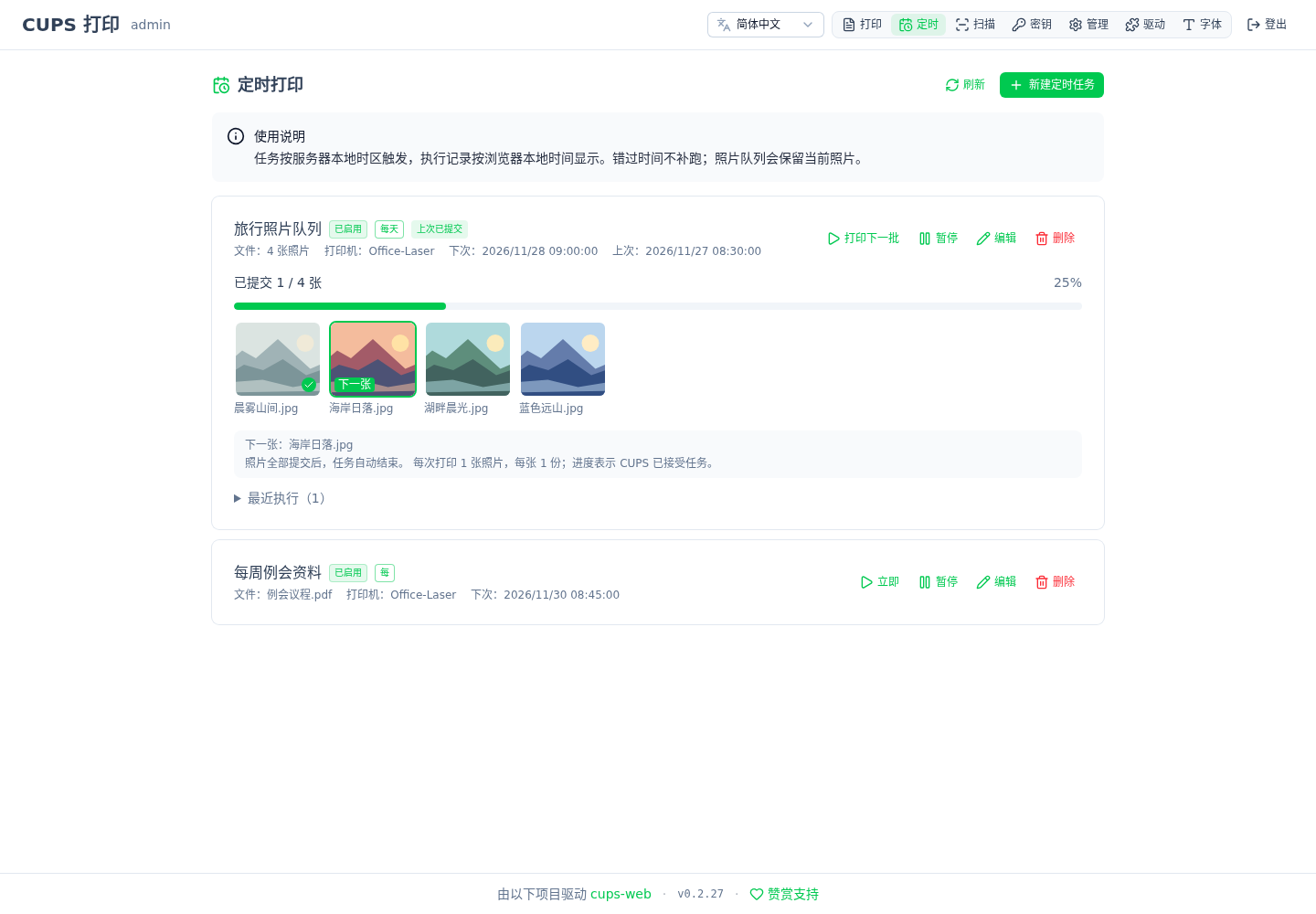
Check your pages, schedule a print run, and scan documents for your records.
Preview the PDF, then adjust paper size, duplex, page range, and scaling. Save frequently used settings as personal presets.
Upload several photos in one batch. Print them in order daily, weekly, or monthly, and monitor the queue.
Choose a scanner and resolution in the browser, then download a PDF or image. Administrators can also manage users, drivers, and fonts.
Start the all-in-one service with Docker or connect to a CUPS server you already run.